Arrayán is a revolutionary web application seamlessly integrated with the ResilientDB blockchain fabric, empowering industries to achieve end-to-end transparency in tracking products, by-products, and their historical journey across the supply chain. Tailored especially for the food sector, Arrayán offers an intuitive platform to visualize the lifecycle of goods from farm to retail, fostering accountability and trust at every stage.
Beyond traditional tracking, Arrayán redefines traceability as a driver of sustainability. The platform introduces a forward-thinking mechanism to reclaim and repurpose food by-products—such as stems, peels, and seeds—by securely documenting their origin, usage intent, and transfer timelines on the blockchain. This verifiable, tamper-proof data unlocks opportunities to scale the reuse of by-products as raw materials in sectors like cosmetics and clean energy production.
With seamless blockchain-backed agreements and instant access to tracking data through lightweight tools, Arrayán ensures a frictionless experience for producers, buyers, and consumers alike. It transforms traceability into a dynamic ecosystem for innovation, collaboration, and resource optimization—all while championing a more transparent and circular economy.
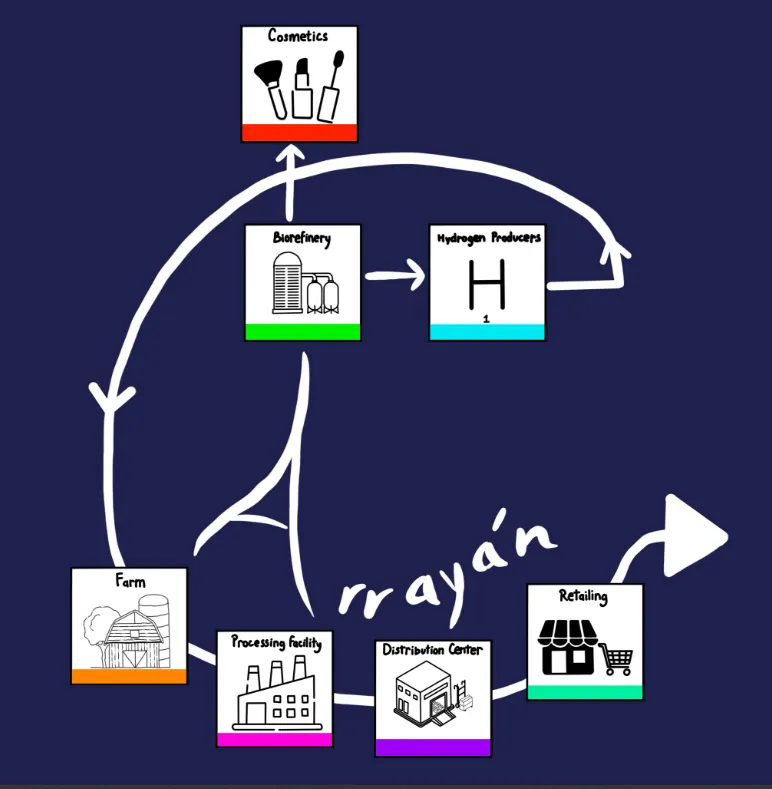
Figure 1. Picture describing Arrayán
Useful Links
- Website is live at https://arrayan.resilientdb.com/
- Code Repository - https://github.com/ResilientApp/Arrayan
- Presentation Slides - https://github.com/apache/incubator-resilientdb-blog/blob/main/presentations/Arrayan.pdf
- We have modified the existing ResilientDB-GraphQL APIs catering to the needs of a blockchain-based food supply chain and added a new API to fetch the products in the forked repo.
Problem Identified
Scientific evidence supports the potential of food by-products as valuable sources of molecules for the cosmetic industry. However, their utilization has been limited as the chemical composition and yield variability are influenced by factors such as variety, environmental conditions, and the methods of cultivation and processing. Currently, there is a lack of comprehensive traceability for most by-products, hindering the recording of crucial data. This absence of information results in a lack of standardization, contributing to uncertain yields and increased costs associated with the extraction and purification processes. A parallel challenge is observed in the use of by-products for hydrogen production and other upcycling applications.
Solution
This web application plays a pivotal role in meticulously tracing the generation of by-products at each stage. This granular information is instrumental in standardizing by-products, facilitating their upcycling on a larger scale, and pinpointing key areas where substantial amounts of by-products are produced. Our traceability-for-sustainability model not only offers a blueprint for companies to embrace circular economy models but also ensures compliance with regulations such as the Food Safety Modernization Act. The primary objective of the Food Safety Modernization Act is to enhance food safety. In the event of a foodborne incident, rapid tracking within 24 hours is mandated. The regulation emphasizes the necessity for companies to share information seamlessly across their supply chain, and blockchain emerges as a powerful tool to streamline this process. Arrayán stands as more than just a tracing tool; it is a catalyst for the food industry to not only meet regulatory requirements but also to potentially increase profitability from their by-products and reduce its environmental footprint. During the development of the application, we established a partnership with the teaching and research winery of UC Davis. To kick-start our journey, we are delivering a Proof of Concept utilizing the data generously provided by our collaborators.
Note: Arrayán also aligns with Senate Bill 1883, offering a pathway to compliance with this additional regulation.
Technology Stack
- Web Application: Built using React JS, Create React App, React Official Website
- Backend: ResilientDb GraphQL server, Python
- Database: Powered by ResilientDB
- Theme: BLK Design System React, BLK Design System Pro React
Architecture
The sequence diagrams of the inventory manager, product tracker, smart Contract and chrome extension below give an overview of the function triggers and the process of upload/claim.
Inventory Manager
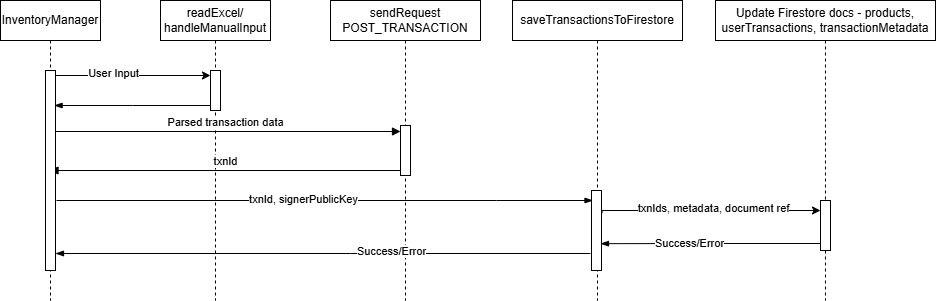
Figure 2. Sequence Diagram of Inventory Manager
Product Tracker
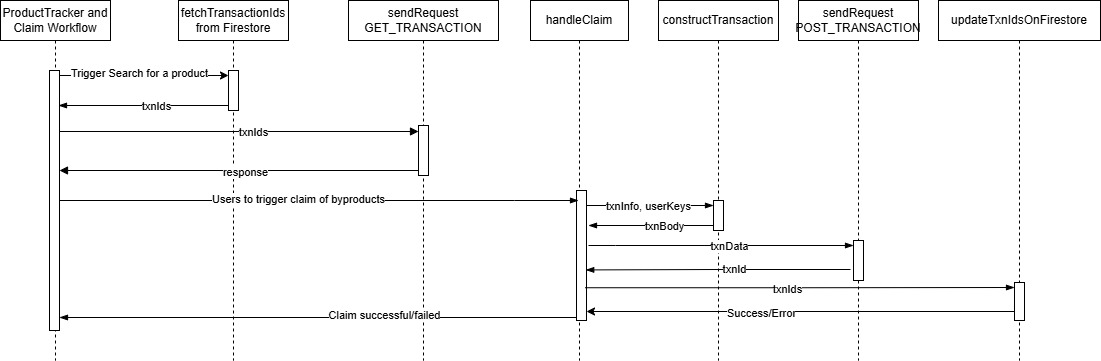
Figure 3. Sequence Diagram of Product Tracker and Claim Workflow
Smart Contract
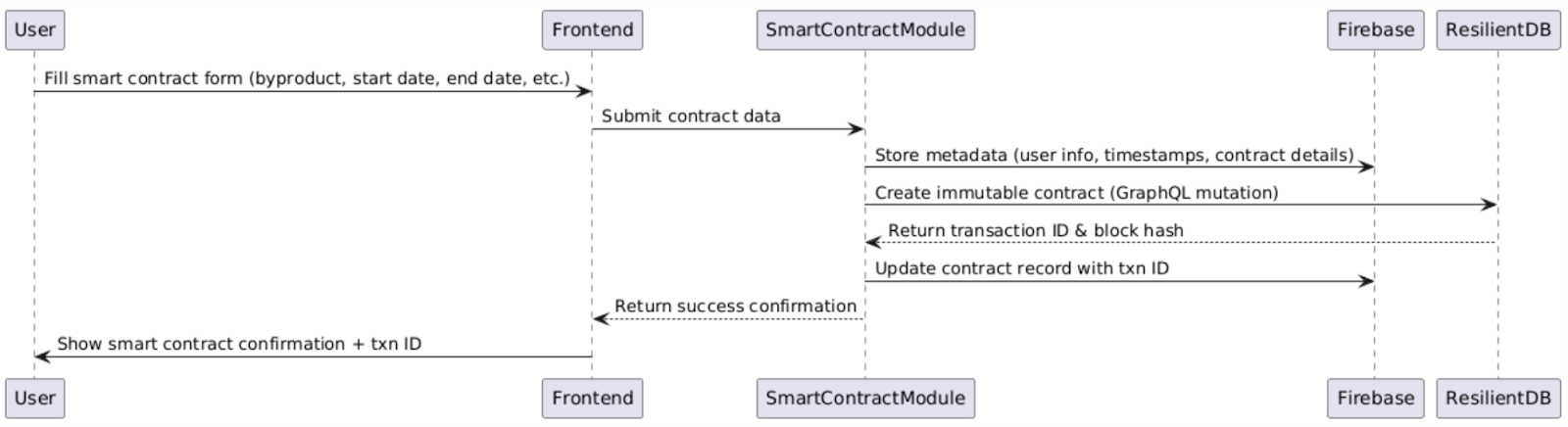
Figure 4. Sequence Diagram of Smart Contract
Tracker Chrome Extension
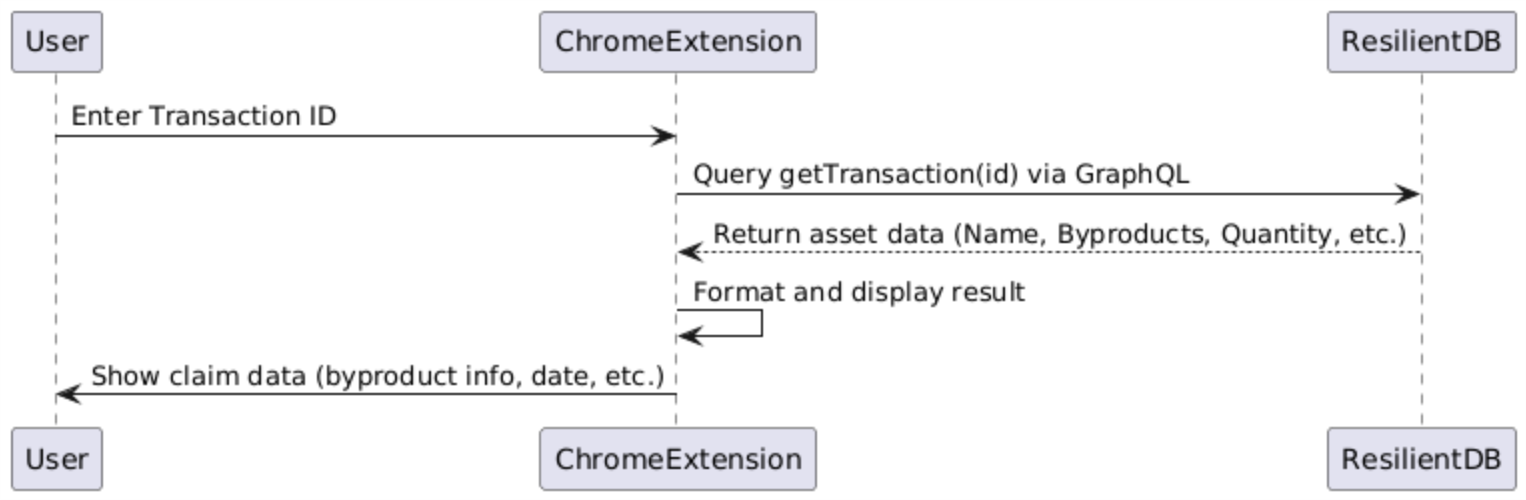
Figure 5. Sequence Diagram of Tracker Chrome Extension
Upon breaking the overall architecture, the user is authenticated and will be provided with a dashboard, current inventory, and product tracker.
- Dashboard fetches data from the Google Firestore and displays the real-time data in sync with the ResilientDb.
- After uploading the inventory from an Excel file or providing the manual input, transactions are constructed to the Schema required for the GraphQL server of ResilientDb, and POST_TRANSACTION mutation is used to save the data to the ResilientDb. Upon a successful response, transaction IDs are stored in the Google Firestore. Only transaction IDs and metadata are saved outside the ResilientDb, ensuring data transparency on the global-scale blockchain fabric — ResilientDb.
- When a user searches for a product, the relevant transaction IDs are retrieved from Google Firestore, and point queries are made to ResilientDb. The complete food supply chain is displayed, detailing each stage. The system also allows users to claim byproducts generated during the process. Claimed byproducts are recorded as transactions on ResilientDb, with their transaction IDs securely stored in Google Firestore.
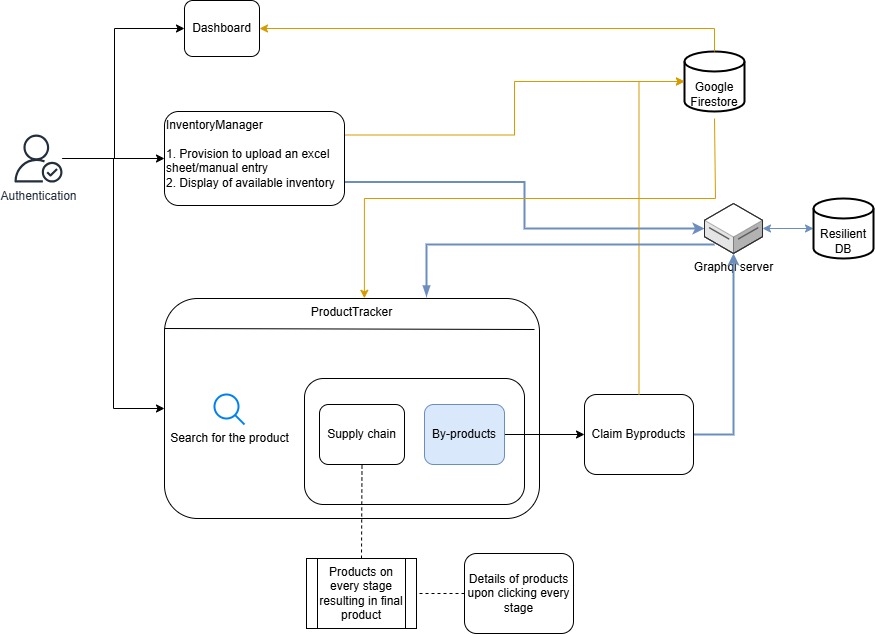
Figure 6. High level design of Arrayan
Features and User Guide
Home Page
- Provides a general overview of the solution offered through the website.
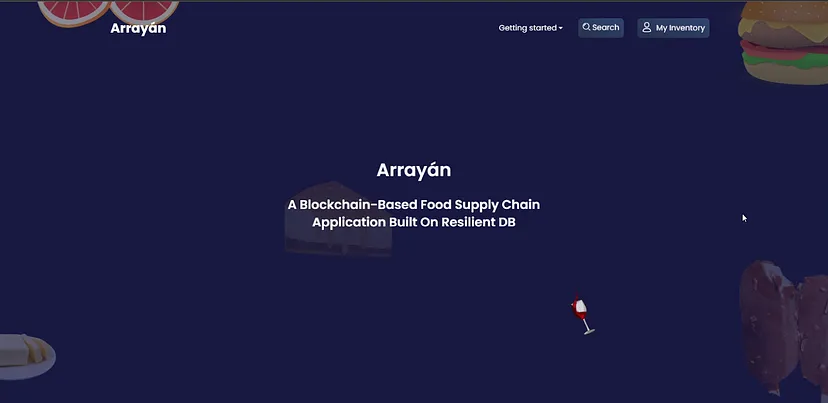
Figure 7. Home Page
- Getting Started: To access the portal’s features, users first need to register and log in. Once logged in, they can unlock functionalities such as inventory management and search capabilities.
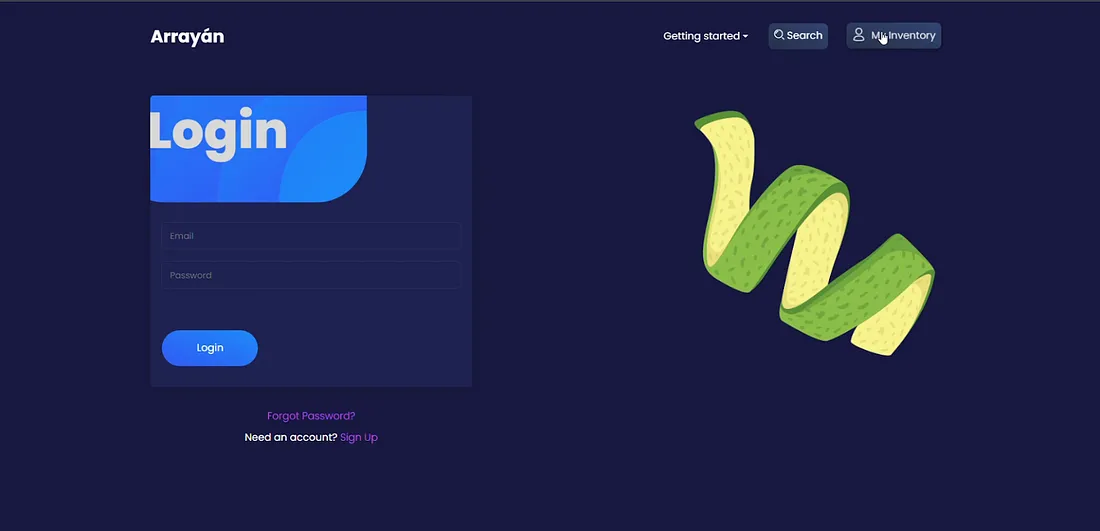
Figure 8. Login Page
- Live Inventory Visualization: The dashboard provides an instant, real-time representation of the current status of the inventory, ensuring up-to-the-moment insights.
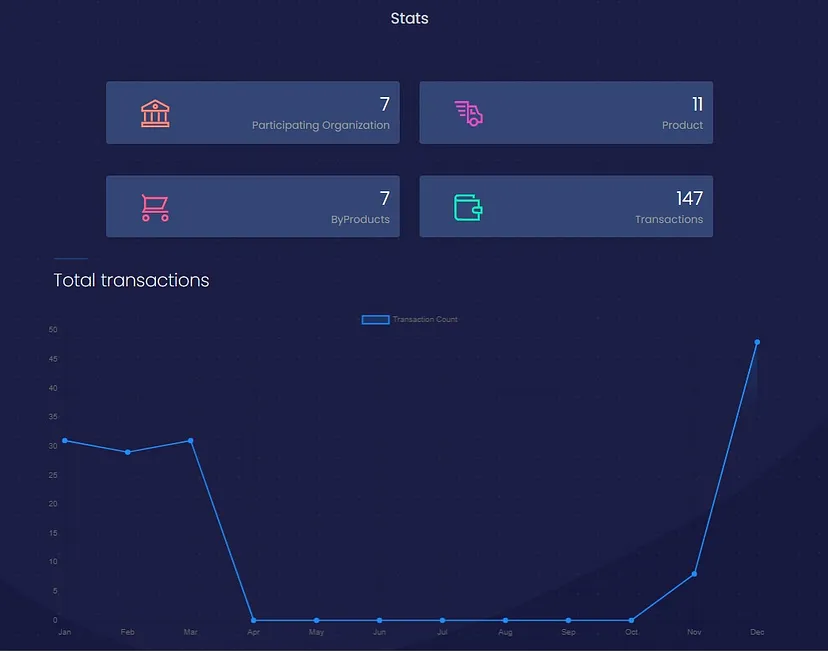
Figure 9. Dashboard
Inventory
- Seamless Upload Process: Allows consumers to easily upload Excel files containing inventory data. Multiple Excel files can be uploaded and loaded consecutively.
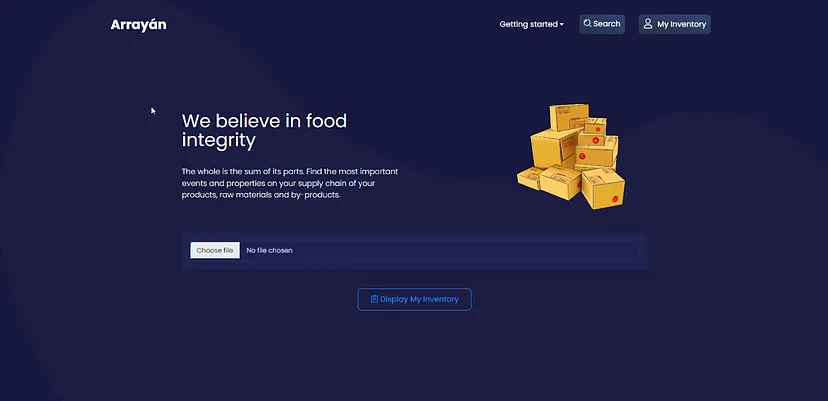
Figure 10. Upload Page
- Inventory View: Shows a clear and accessible display of updated inventory information visible to consumers.
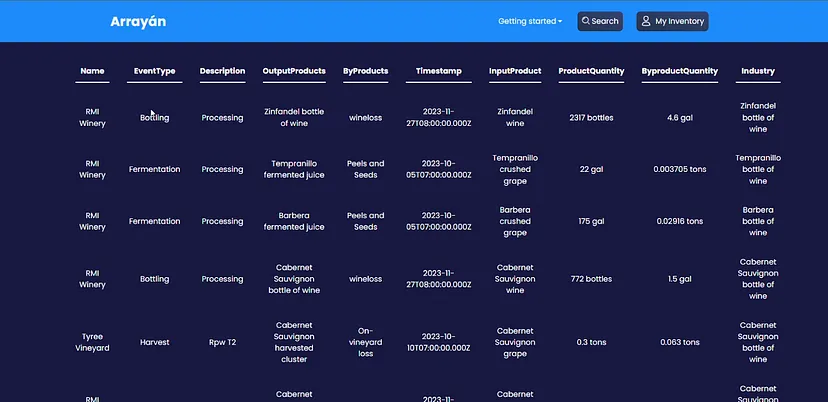
Figure 11. Inventory
Search
- Search Option: Enables users to search and track any final product through the food supply chain.
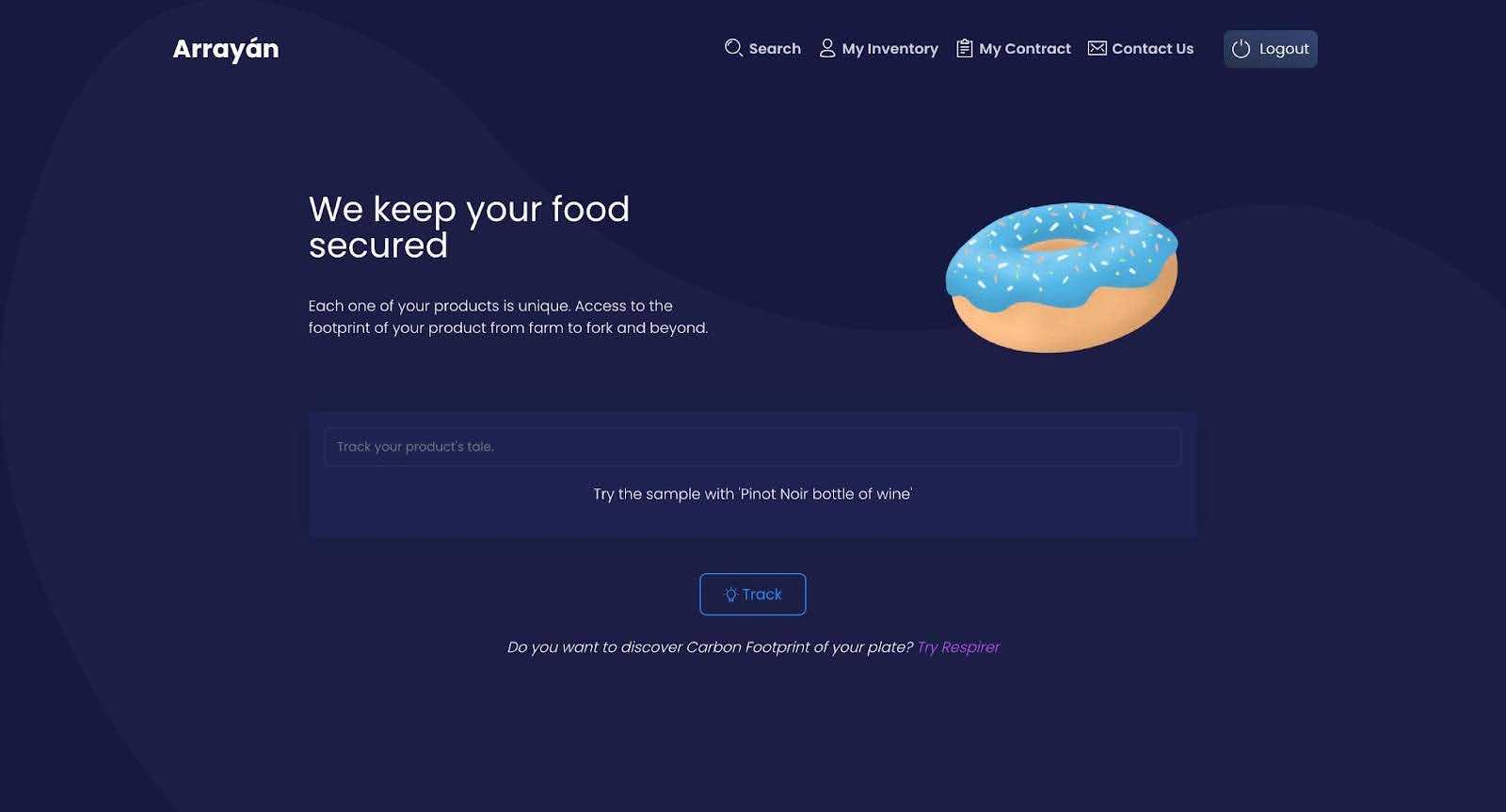
Figure 12. Track your products and by-products
- Visualizes Supply Chain: Provides a comprehensive supply chain mapping of each product’s entire supply chain and process details.
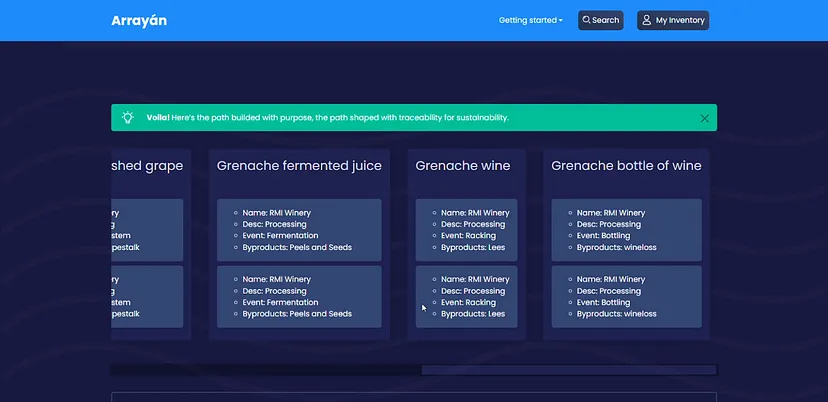
Figure 13. Visualize your product through the supply chain
- Claiming By-Products: Consumers can easily claim by-products in the process, fostering a circular economy. This feature empowers consumers to actively participate in sustainable practices.
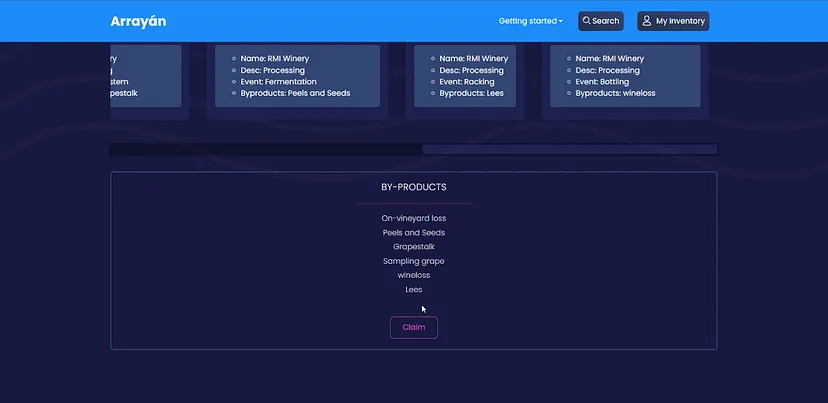
Figure 14. Claim by-products
Smart Contract
- Smart Contract Page: Allows users to create a contract for a time period to automatically claim the byproduct of a particular product from a particular source. This avoids redundant visits to the website and makes the process automatic.
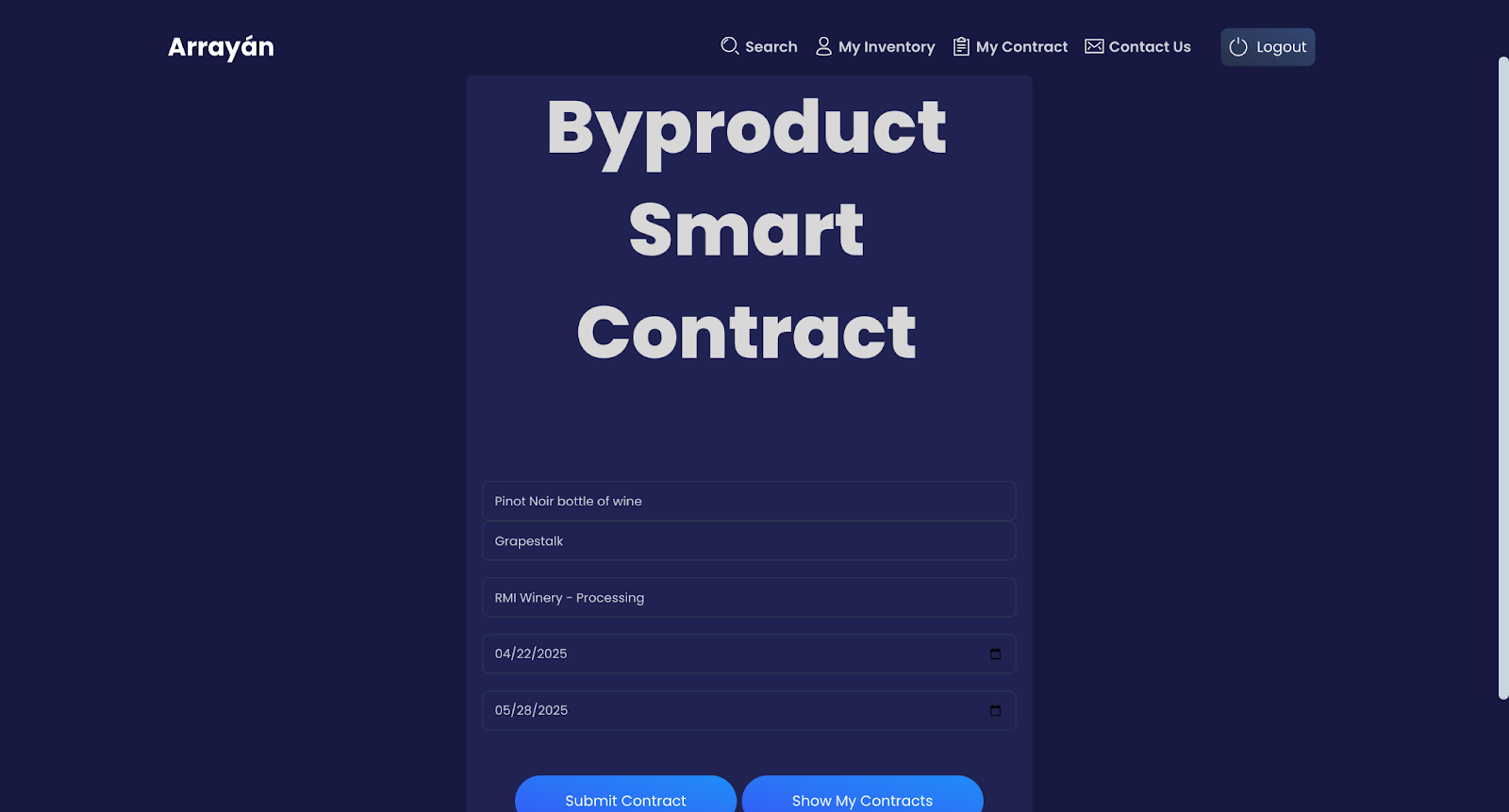
Figure 15. Smart Contract Page for Arrayán
- View My Contracts: Allows the user to track their existing contracts which are valid.
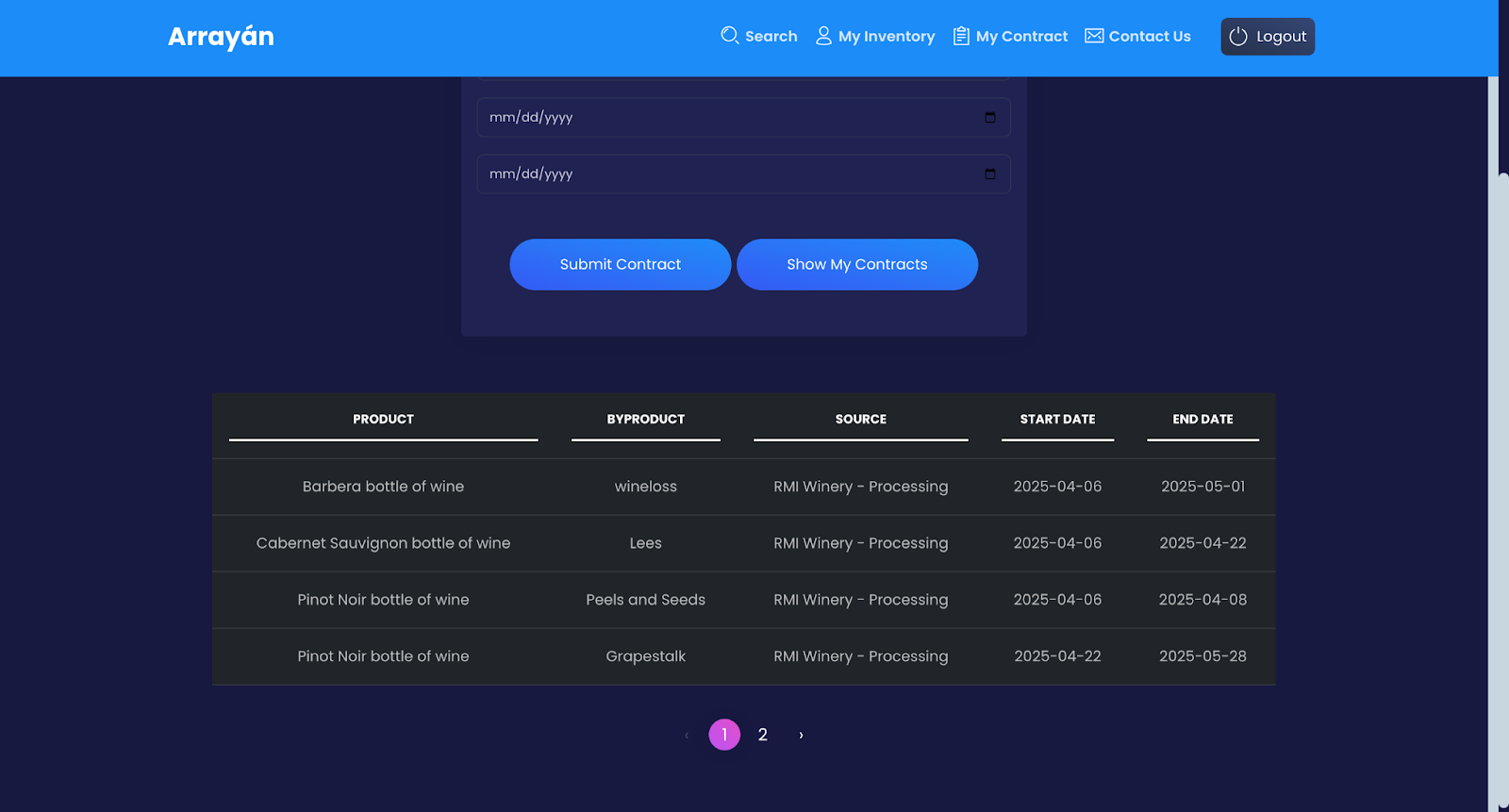
Figure 16. View current contracts
- Auto-Claim: On the search page, the user can easily view the available by-products to claim and also see if any by-product is already auto-claimed under the contract.
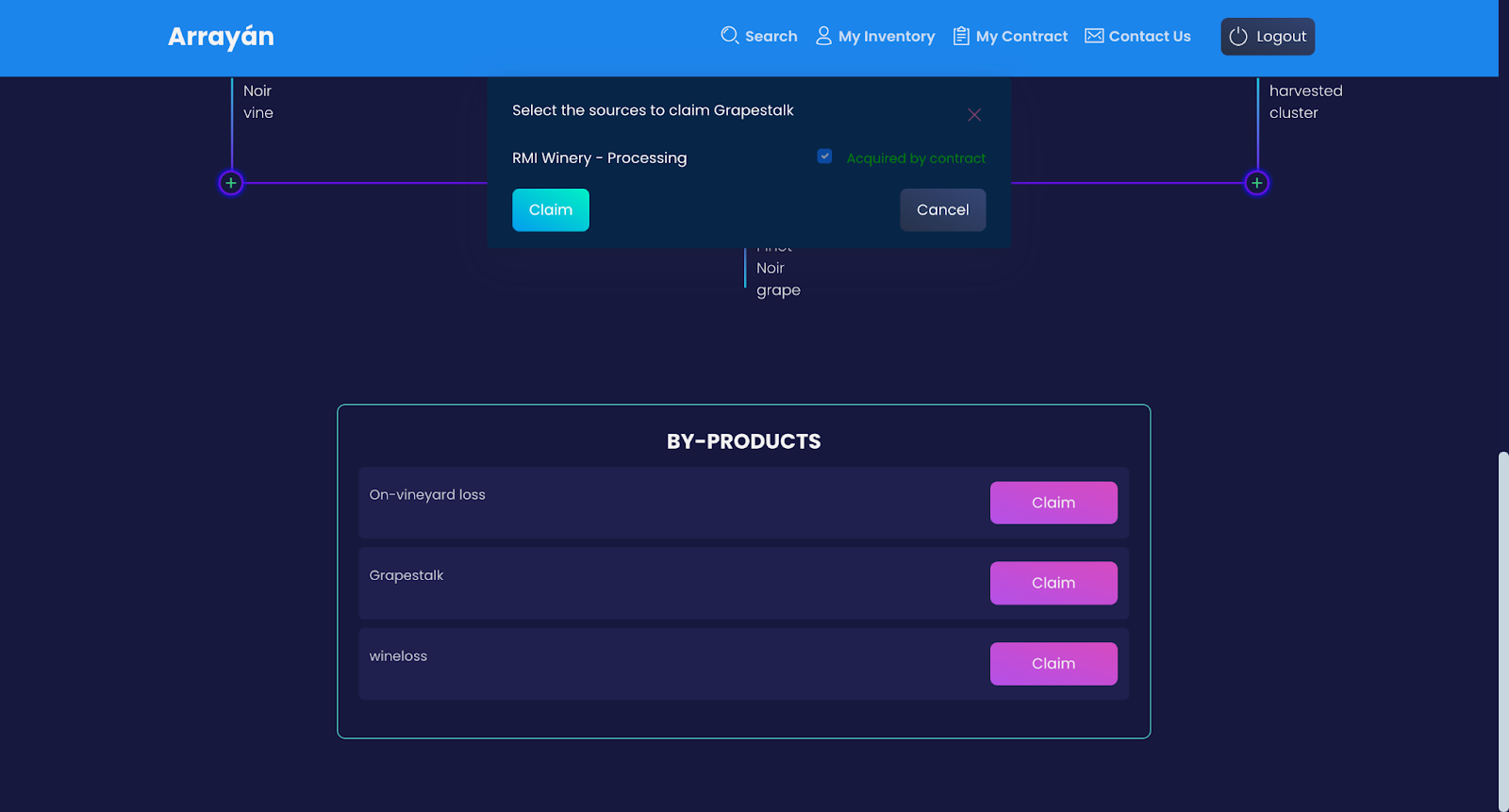
Figure 17. Auto-claimed by-products based on signed Contracts
Tracker Chrome Extension
- Chrome Extension: Allows users to check the transparency of the system by getting the information from the blockchain based database, ResilientDB transaction id.
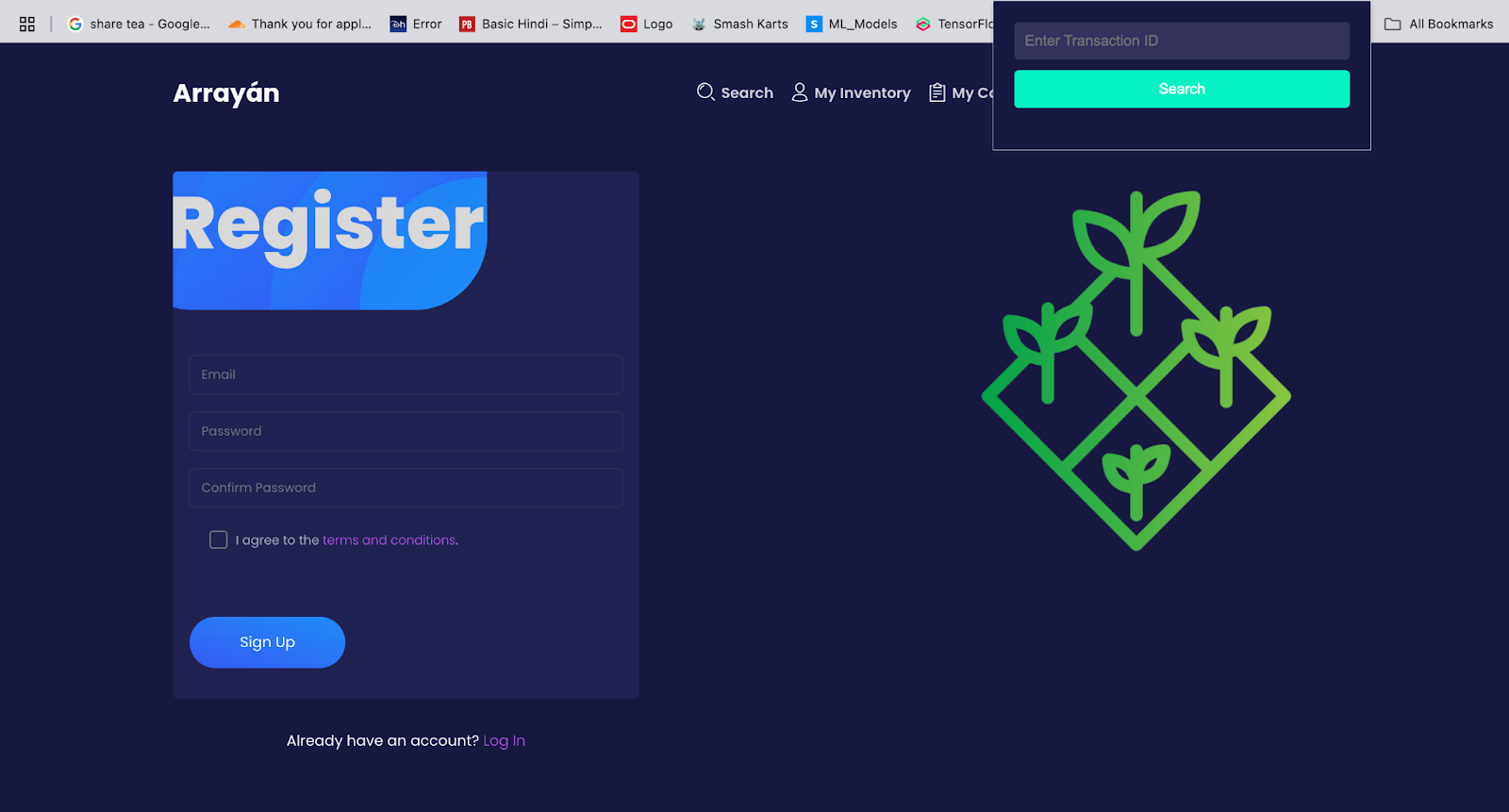
Figure 18. Popup UI of Arrayan chrome Extension
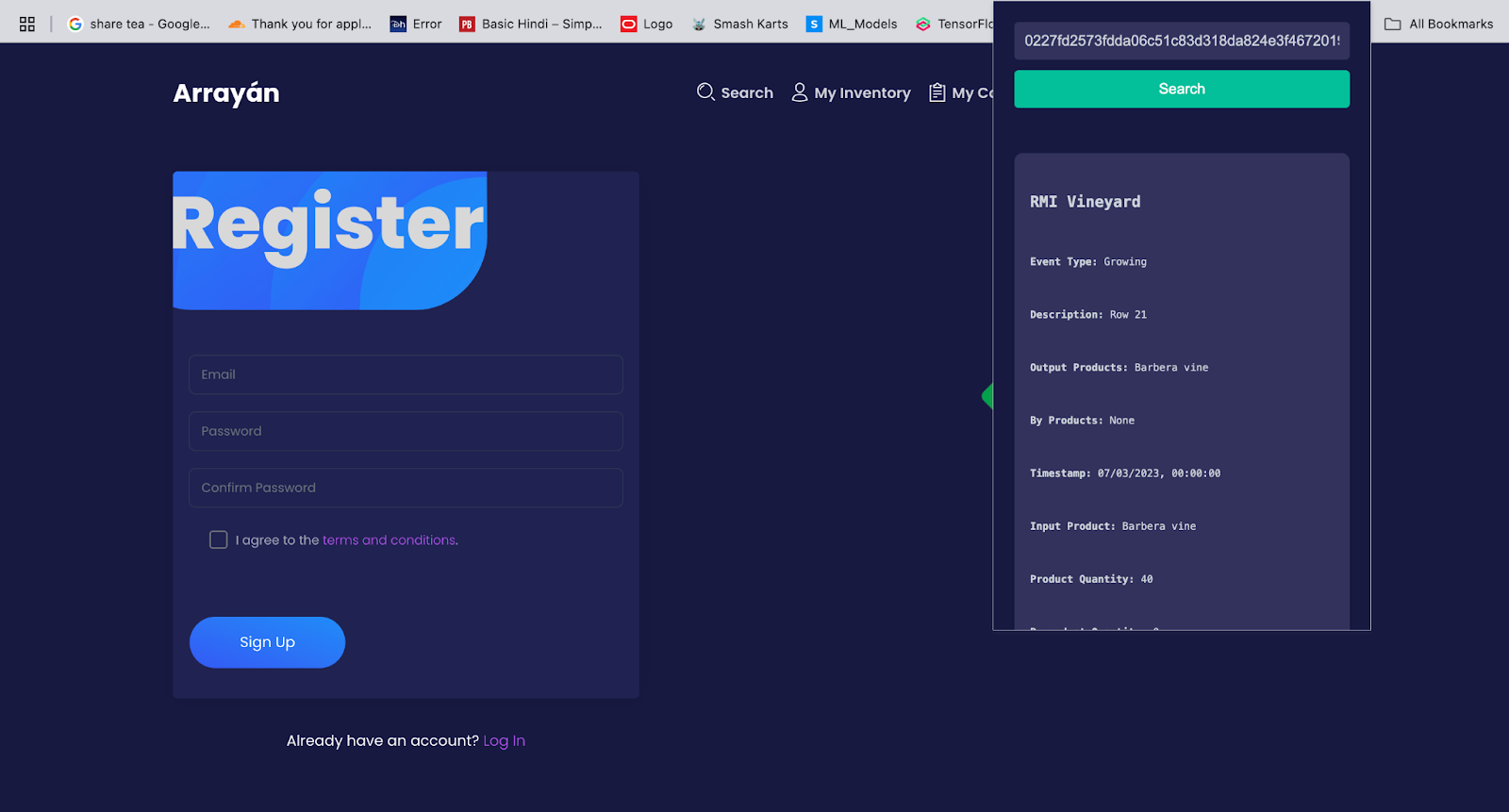
Figure 19. View of Report card based on Transaction ID provided
Demo Video<div class="extensions extensions--video">
</div>
Steps to run the system
Download NodeJS from here and ensure that it’s added to PATH.
Clone the repo of arrayan to get started:
git clone https://github.com/ResilientApp/Arrayan.git
Then navigate inside the ResVault directory:
cd arrayan
Install the dependencies:
npm install
Start the project:
npm start
Build the project:
npm run build
The above code uses online instance of Resilient DB and the application is ready to be launched. For further exploration, below steps can be followed to setup and play around with local instance.
Setup Python3.10
Ensure you have Python3.10, otherwise download it and set it up as default.
Setup ResilientDB
You will need to clone the ResilientDB repo to get started:
git clone https://github.com/resilientdb/resilientdb.git
Then navigate inside the ResilientDB directory:
cd resilientdb
Install dependencies:
sh INSTALL.sh
Run ResilientDB KV Service (this may take a few minutes for the first time):
./service/tools/kv/server_tools/start_kv_service.sh
Setup Crow HTTP server, SDK, and GraphQL server
You will need to clone the ResilientDB GraphQL repo to get started:
git clone https://github.com/Amoolya-Reddy/ResilientDB-GraphQL
Then navigate inside the ResilientDBGraphQL directory:
cd ResilientDB-GraphQL
Install the Crow dependencies:
sudo apt update sudo apt install build-essential sudo apt install python3.10-dev sudo apt install apt-transport-https curl gnupg
Build Crow HTTP server (this may take a few minutes for the first time):
bazel build service/http_server:crow_service_main
Start the Crow HTTP server:
bazel-bin/service/http_server/crow_service_main service/tools/config/interface/service.config service/http_server/server_config.config
Create virtual environment for the Python SDK:
python3 -m venv venv –without-pip
Activate the virtual environment:
source venv/bin/activate
Install pip in the virtual environment for the Python dependencies:
curl https://bootstrap.pypa.io/get-pip.py | python
Install the Python dependencies:
pip install -r requirements.txt
Start the GraphQL server:
python3 app.py
Setup cited from ResVault
Contributions:
Amoolya Gali: Designed the overall architecture of the application, translating requirements into technical functionalities. Led the development of the frontend, including UI/UX design and animations, and implemented the Ag-GraphQL wrapper to interface with the existing ResilientDB-GraphQL server, setting up all necessary APIs. Built the real-time dashboard, implemented Excel file parsing for constructing transactions, and managed interactions with Google Firestore by developing all Firestore APIs. Delivered an intuitive food supply chain tracking system and completed the end-to-end claim workflow.
Mariana Larrañaga: Defined the project scope and high-level requirements as the founder of Arrayan. Conducted market research, pitched the product, and maintained active interactions with wineries and farmers, incorporating their input into the product. Served as the product manager, ensuring user needs were integrated into the development process and shaping the overall vision of Arrayan.
Other Contributors: Shravani Shete, Manali Modi, Tarun Tiwari, Srishti Singh